OnWrist virtual try-on

Virtual try-on for luxury watch stores

Let every shopper try the watch on — their own wrist, true to scale.

OnWrist places the actual watch on your customer's wrist through their phone camera, at true physical size, with the bracelet tucked behind the wrist in the keeper shot, like the real thing. Built automatically from the product photos you already have.

$1 per watch, per month. The enterprise quote we received was four figures a month, for flat 2D.

The OnWrist try-on modal on a Patek Philippe Nautilus product page, inviting the shopper to start the try-on.
The shopper's first tap, right on your product page

On a computer? Point your phone here. The demo needs a wrist and a phone camera, the same handoff your shoppers get.

This is what your shoppers see

Not a sticker floating over a photo. The watch, on the wrist, to scale.

The AR try-ons we tried before building this paste a flat image on top.

OnWrist freezes the shot, finds the forearm, and tucks the bracelet behind the wrist. A pasted-on image can't reach that. On the customer's own wrist, ready to save or share to Instagram with your store's logo on it.

Straight off a phone, outdoors, in direct sun. No studio, no staging.

A photo-real try-on result: a watch rendered on a real wrist outdoors, strap wrapping naturally.
Photo mode: the shopper's keeper shot

The shopper experience

Three taps, on the product page they're already on.

01

Tap “See it on your wrist”

It lives on your product page. On a desktop, a QR hands off to the phone. No app, no download, no account.

02

Raise your wrist

The camera coaches the shopper into frame, then places the watch live, at its real size, on either wrist.

03

Freeze, share, add to cart

A photo-real still with the bracelet tucked behind the wrist, your logo on the share, add-to-cart built in.

Why it looks right, without the upkeep

Built like a spec sheet, not a gimmick.

No 3D. No prep.

Built from the photos you already have.

OnWrist turns your existing stock product shots into try-on overlays automatically. Add a watch to your store and it shows up in try-on on its own.

No 3D CAD modeling. No per-watch asset work. No re-shoots.

The alternatives we evaluated were flat 2D at enterprise retainers, or asking the shopper to print a paper bracelet. OnWrist does neither.
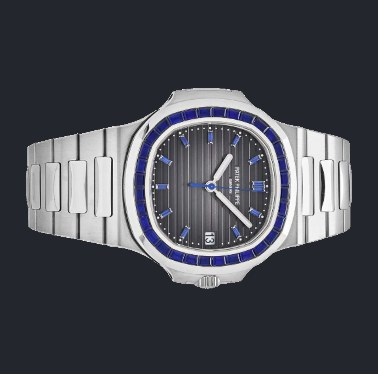
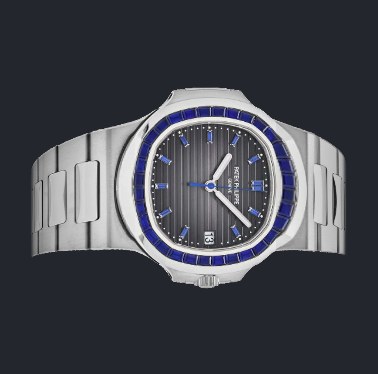
the product photo you already have → on-wrist, automatically

True to scale

A 41 mm watch renders as 41 mm.

Overlays render at true physical scale, case and lug-to-lug in millimeters, from a measurement library of 50+ watch families with real spec-sheet dimensions covering 650+ watches today. The fit to each shopper's wrist runs through four wrist-size settings calibrated against published anthropometric data, and anyone who wants exact scale can calibrate with a bank card in a few seconds.

case Ø and lug-to-lug per watch family · four wrist settings + card calibration

41 mm on the spec sheet is 41 mm on the wrist

Their wrist, not a model's

“That's mine” beats “that's nice.”

The watch goes on your customer's actual wrist, the one holding the phone, not a stock model's. A built-in pose coach guides them to the shot and gets out of the way.

Price-on-Request pieces supported. Both wrists. Video and photo modes.

coaching…
…then out of the way

Pricing

One dollar, per watch, per month. That's the whole pricing page.

No tiers. No setup fee. No per-asset charges. No 3D upcharge. A dollar a month for each watch in your catalog, and nothing else.

200 watches
$200 200 watches × $1 / month

Add or remove watches anytime. Your price follows your catalog, recalculated each month. Even at the top of the slider, a 1,000-watch catalog is $1,000 a month.

Going live

One snippet. Paste it once. Done.

Installation is a single ~10-line snippet pasted into your Shopify theme. Everything else, the widget and the overlays, is served from our CDN. No theme surgery, no developer retainer. We'll paste it with you on a call if you'd like.

theme.liquidrepresentative
<!-- OnWrist virtual try-on -->
{% if template contains 'product' %}
  <div id="onwrist-mount"
       data-handle="{{ product.handle }}"></div>
  <script src="https://cdn.onwrist.io/widget/loader.js"
          defer></script>
{% endif %}

FAQ

Frequently asked questions

Will it work with my existing product photos?

Yes, that's the point. OnWrist builds each overlay from your standard stock shots automatically. No 3D modeling, no re-shoots, no homework for your team.

How accurate is the sizing?

Watches are sized from their real spec-sheet measurements, case and lug-to-lug in millimeters. Wrist fit uses four wrist-size settings calibrated against published anthropometric data, and shoppers who want exact scale can calibrate with any standard bank card in a few seconds.

Do you store my customers' photos or camera data?

No. The camera runs entirely on the shopper's device, in the browser. No photo is uploaded to any server and no biometric data is stored. The only thing that leaves the phone is the image the shopper chooses to save or share.

I'm not on Shopify.

OnWrist is built for Shopify, where it's a one-snippet install. Any storefront that lets you paste a script tag can likely run it. Tell us your platform and we'll confirm before you commit to anything.

How hard is it to install, really?

One snippet, pasted once into your theme. Everything else loads from our CDN, and catalog updates flow through automatically. We'll do the paste with you on a call if you want a second pair of eyes.

Does it work for shoppers on desktop?

Yes. Desktop shows a QR code that hands off to the phone, where the camera try-on happens. Your product page and checkout are untouched.

What if my catalog changes mid-month?

Add or remove watches freely. Billing follows your catalog size and recalculates each month. No penalties, no locked commitments, no renegotiation.

I sell Price-on-Request pieces.

Fully supported. No price is shown where you don't want one, and the request flow or add-to-cart still works from inside the try-on.

Is this real, or a pitch deck?

The demo on this page is the full engine, not a mockup. Open it, point your camera at your own wrist, and judge the result yourself. Built and run directly by the founder, so fixes and requests go to the person who writes the code.

Will it cheapen my brand?

No, it helps your customers visualize the watch on their own wrist. And it's built for luxury restraint: a quiet, boutique-dark interface, behind-the-wrist realism instead of a floating sticker, and your logo watermarked on every shared image.

OnWrist

Put your whole catalog on your customers' wrists.

Try it on your own wrist first, then tell us how many watches you carry.

$1 per watch per month · cancel anytime · try it before you talk to us